

※この記事ではiPhoneの画面で説明していますが、Androidやパソコンでも基本的に同じ手順です。
This guide uses iPhone screenshots, but the steps are essentially the same on Android and PC.
英語の画面でも、この手順通りに進めれば5分で完了します。
Even if your screen is in English, just follow these steps and you’ll finish in about five minutes.
言語設定について |About language settings
今回は英語の画面で説明します。
In this guide, I’ll walk you through the process using English screenshots.
もしわかりにくい場合は、メニュー(三本線)やページの一番下(フッター)から言語を「English」に変えて、僕と一緒に進めてみてください!
If anything is unclear, switch the language to “English” from the menu (the three lines) or the footer at the bottom of the page, and follow along with me.
\ 30日間返金保証で安心 /
1. 公式サイトへアクセス |Access the official website
まずはNordVPNの公式サイトへ行きます。
First, go to the official NordVPN website.
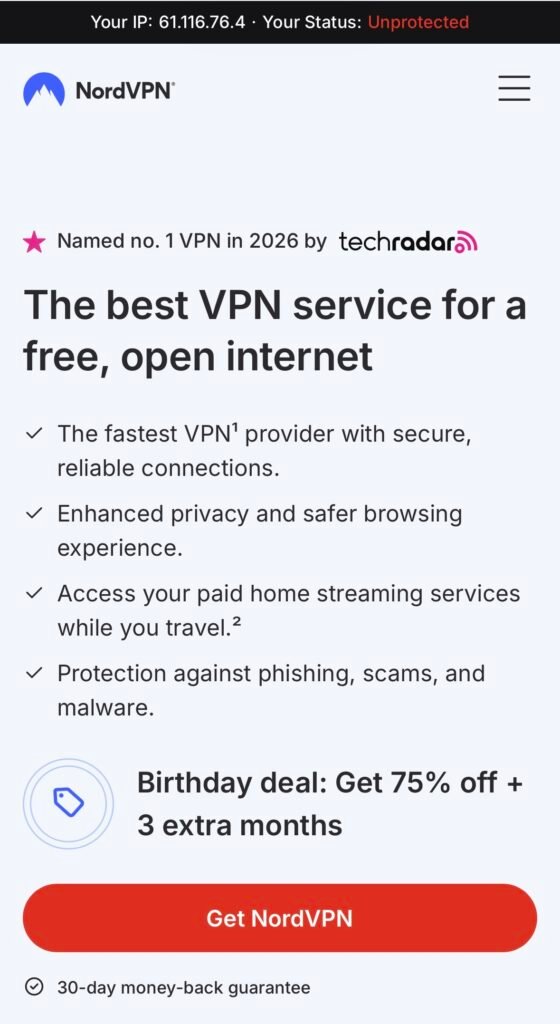
赤いボタンの「Get NordVPN」をタップします。
Tap the red “Get NordVPN” button.
2. プランを選ぶ|Choose your plan
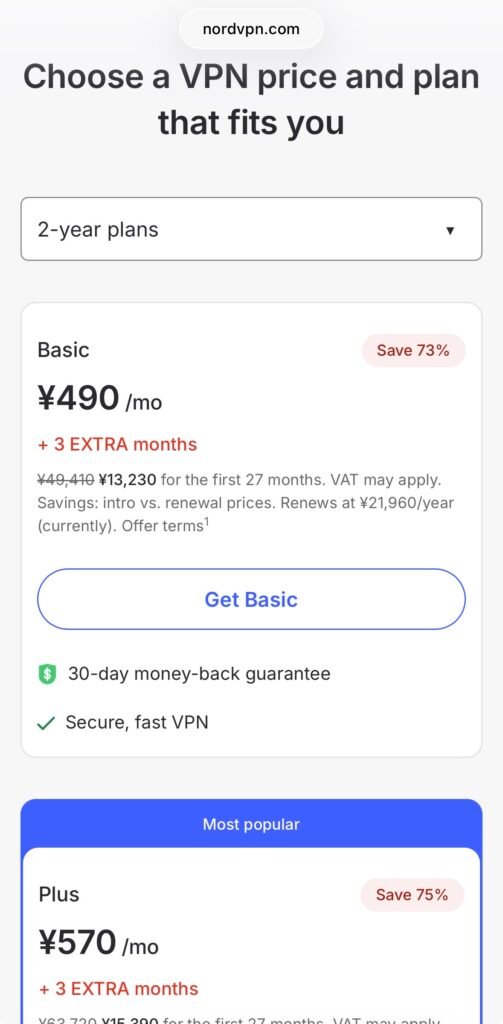
好きなプランを選びます。
Choose the plan that suits you best.
一番おすすめは「Basic」です。
The plan I recommend most is the “Basic” plan.
※Netflixを見るだけなら、一番安いBasicプランで十分です。
If you’re only using it to watch Netflix, the most affordable Basic plan is more than enough.
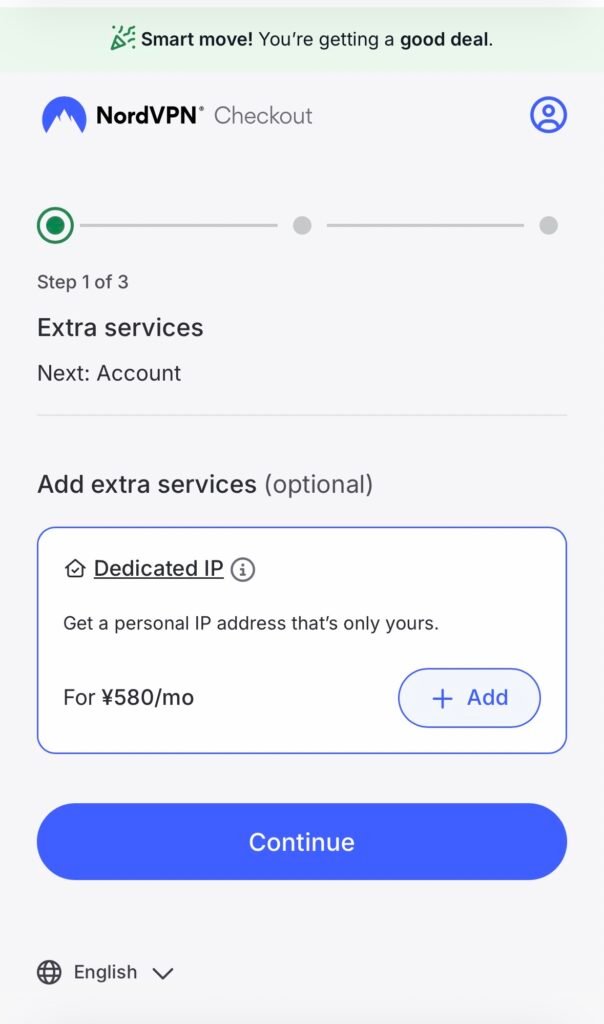
「Extra services」(追加サービス)の画面が表示されますが、何も追加する必要はありません。
An “Extra services” screen will appear, but you don’t need to add anything.
そのまま「Continue」を押してください。
Simply tap “Continue.”
3. アカウントと支払い|Create account and payment
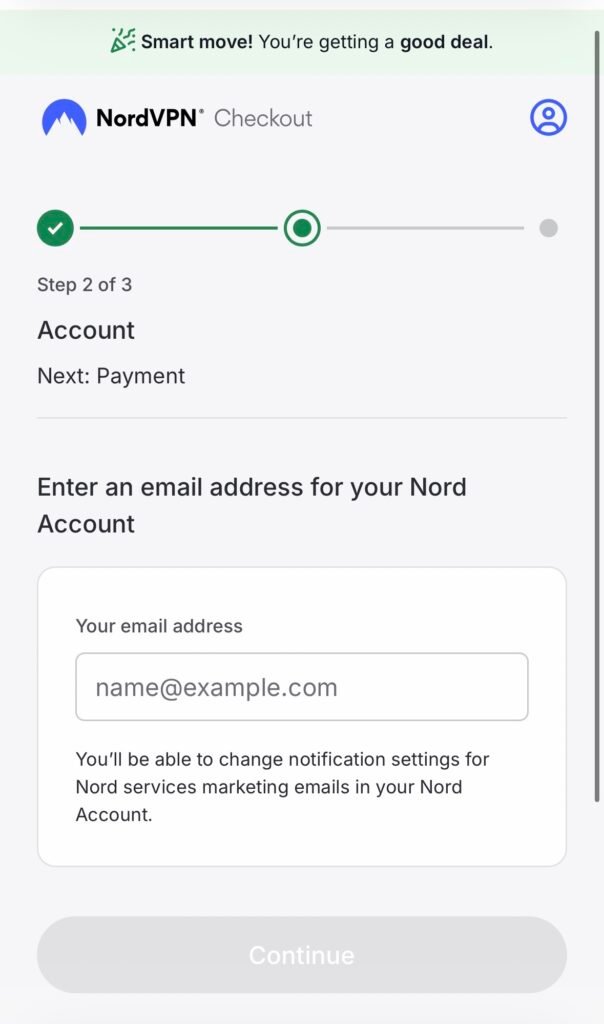
メールアドレスを入力して「Continue」を押します。
Enter your email address and tap “Continue.”
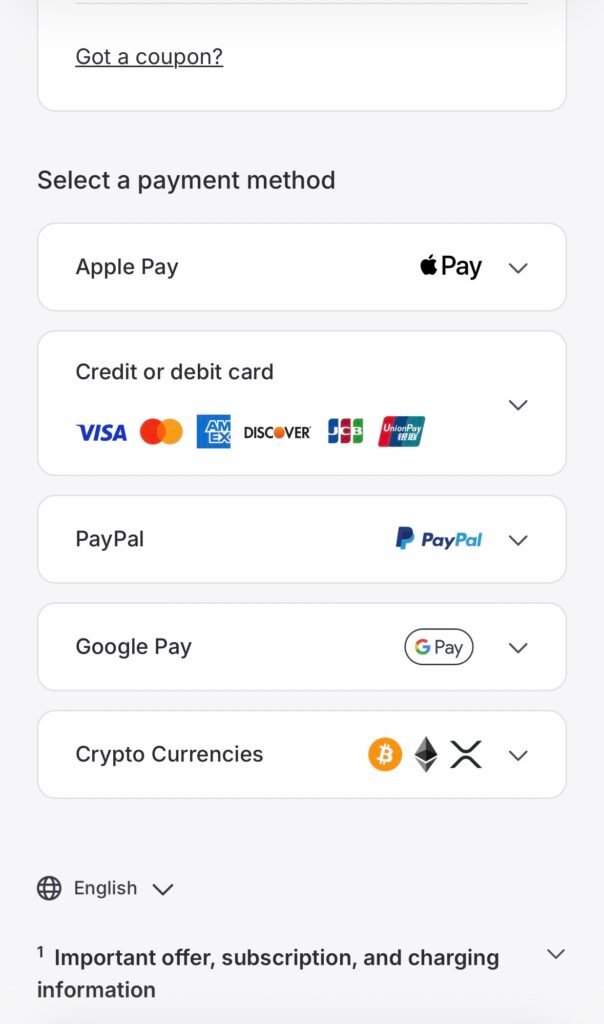
金額が出てくるので、スクロールしてお好きな支払い方法を選びます。
The total price will be displayed. Scroll down and choose your preferred payment method.
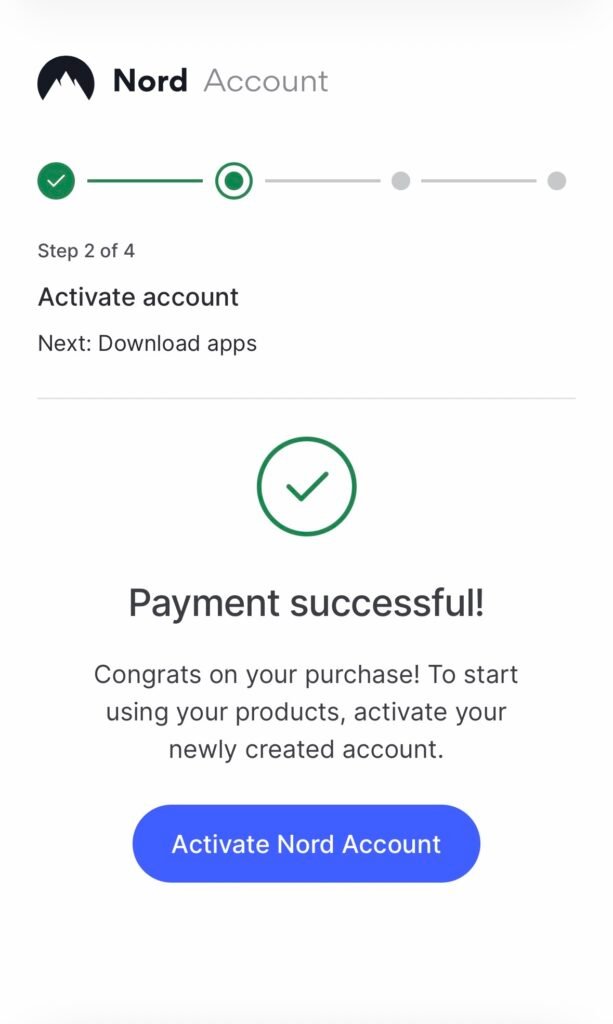
「Payment successful!」と出ればOKです。
If you see “Payment successful!”, you’re all set.
そのまま指示に従ってアプリを入れます。
Then follow the instructions to install the app.
4. アプリの設定|App setup
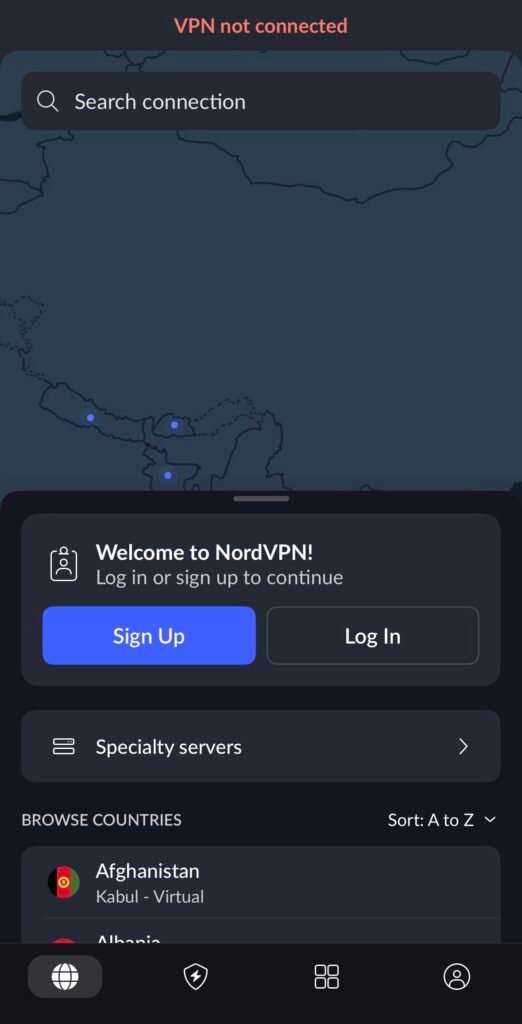
「Log In」ボタンを押してログインします。
Tap the “Log In” button to sign in.
ログインできたら、Japanと検索してください。
Once you’re signed in, search for “Japan.”
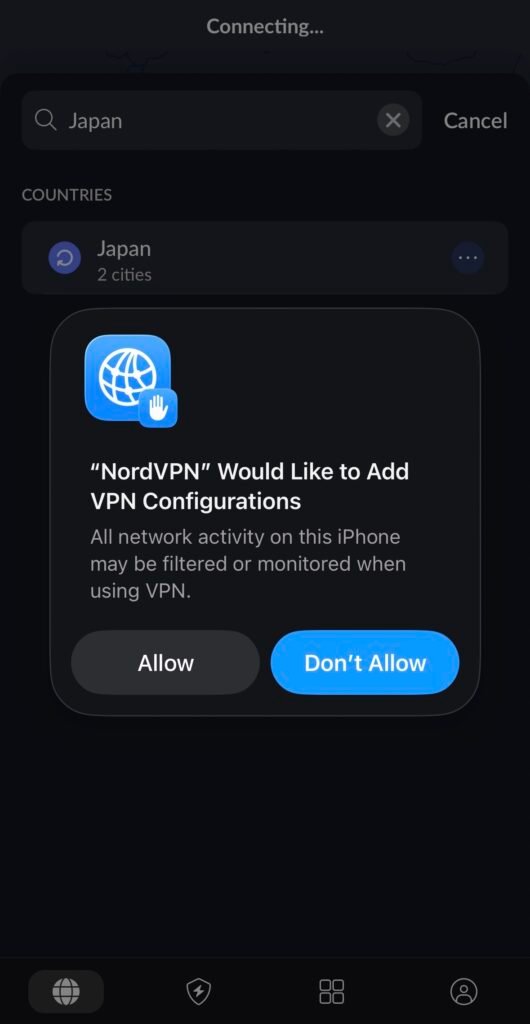
Japanと検索するとこの画面が出るので、必ず左の「Allow」をタップしてください。
When you search for “Japan,” this screen will appear. Be sure to tap “Allow” on the left.
5. 日本に接続する|Connect to Japan
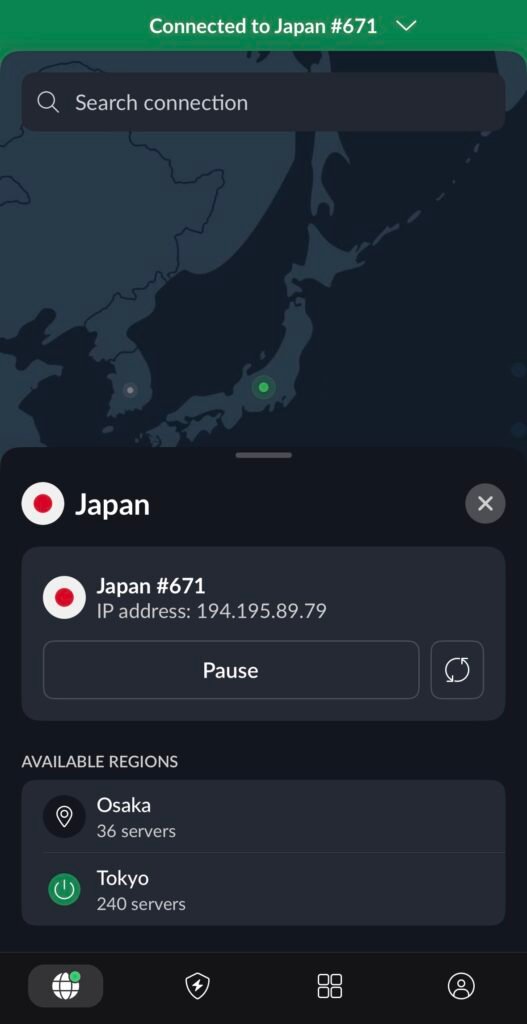
東京(Tokyo)か大阪(Osaka)に繋げれば完了です!
Once you connect to Tokyo or Osaka, you’re all set!
これで日本のコンテンツを楽しめます。
Now you can enjoy Japanese content.
まとめ|Summary
NordVPNの設定は5分で完了します。
Setting up NordVPN takes just five minutes.
英語の画面でも、この手順通りに進めれば問題ありません。
Even if your screen is in English, you’ll be fine as long as you follow these steps.
30日間返金保証もあるので、まずは試してみてください。
There’s also a 30-day money-back guarantee, so feel free to give it a try.
\ 30日間返金保証で安心 /